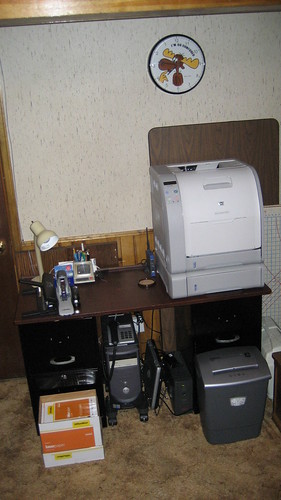
I finally finish configuring Ubuntu Linux on Digital Aggregates' new Dell Inspiron 530 PC with an Intel 2.4GHz Q6600 quad-core processor. I disconnect the USB keyboard and mouse and the flat-panel display I had borrowed from another system in my office, bundle up the power cord and Ethernet cable, pick up the 530, and trundle down several flights of stairs in the Palatial Overclock Estate (what the media still insists on calling the Heavily-Armed Overclock Compound) to the vast corporate computer center in the basement.
I plug the PC into the UPS, plug the Ethernet cable into the HomePlug hub, hit the power button on the 530, and wait a few minutes. Then I try telnetting into the 530 from an old Compaq laptop (running Fedore Core 5 Linux) that I use for stuff like this.
Nothing.
Well, crap, it worked five minutes ago up in my office. I try pinging. Still nothing. I check the Ethernet cable: the LEDs on both the HomePlug hub and the PC look good. I ping the other Dell PC on the same hub, the one that runs Fedore Core 1 Linux, Asterisk, Apache, and Subversion, and it promptly answers. I swap the 530's Ethernet cable to another port on the hub. Still nothing. I remember that these hubs are learning bridges, so I reboot the hub that the 530 is on. Nothing. I trundle upstairs and reboot the hub up in my office and then go back to the basement. Nothing. I go back up one flight of stairs (things are a little spread out in the Estate/Compound), I reboot the hub that the router is on, and then go back downstairs. Nothing. I ping everything that is on the wireless network and that has a static IP address. It's all good.
So I turn the 530 off, disconnect everything, cart the whole shooting match up several flights of stairs, and reconnect everything, including moving the display back over from where I had reconnected it to the other system in my office, an old ThinkPad T30 now more or less in permanent retirement in its docking station and used mostly as an X window server. Turn the 530 on, everything comes up fine.
For some reason I initially focus on not having a display. I google around for "Dell 530 without a display", I check the Support database on the Dell website, of course I find nothing.
Okay, now I remember vaguely having encountered this problem before on another system. I shut the 530 down, disconnect the mouse and the keyboard but leave the display connected, and hit the power button again. The BIOS helpfully announces
Keyboard error - hit F1 to continue or F2 for Setup
Okay, smart-ass, exactly how am I supposed to hit either F1 or F2 when you have a keyboard error? What brilliantly twisted mind thought of that as an error recovery strategy? I suppose you email your ISP when your internet connection isn't working, or dial the phone company on your landline when you can't get dial tone?
So by default you can't boot a Dell Inspiron 530 without a keyboard.
I reconnect the USB keyboard, hit F2 to drop into the BIOS Setup, and poke around until I find under Standard CMOS Features the option of Halt on All Errors, but Keyboard. Yeah, give me some of that! I do a Save and Exit, turn the PC off, disconnect the display, keyboard and mouse, and hit the power button again. After a few minutes I try pinging from my ThinkPad X61 over on my desk.
Golden.
Update (2008-04-05)
If you want to use your Ubuntu system as if it weren't headless, install the VNC server package on your system, and a VNC client on your desktop. I use the RealVNC client on my Windows XP and Windows Vista ThinkPads.
If you haven't already done so, you'll also need to install an X server package on your desktop system. I use Xming on Vista after a lot of pain trying to keep the Cygwin X server working under Vista. I set up my Windows systems so that the X server is started everytime I log into my desktop by placing a shortcut to the program in the appropriate Startup folder.
Login into your Ubuntu system using your favorite TELNET or SSH client. I use PuTTY on my ThinkPads.
Start the VNC server by using the vncserver (or the newer vnc4server) command. You do not need to be root to do this. The VNC server will need to be running on your Ubuntu system anytime you want to use your VNC client from your desktop. I haven't bothered yet to have it started automatically when Ubuntu boots up, since I only use it occasionally.
The first time you run VNC server, it will create in your home directory a subdirectory called .vnc which it will populate it with some files. Edit the file xstartup in that directory so that it looks something like this. All I did to mine was add the last two lines to startup the Gnome Window Manager and the Gnome desktop Session. Your mileage of course may vary.
#!/bin/sh
[ -x /etc/vnc/xstartup ] && exec /etc/vnc/xstartup
[ -r $HOME/.Xresources ] && xrdb $HOME/.Xresources
xsetroot -solid grey
vncconfig -iconic &
xterm -geometry 80x24+10+10 -ls -title "Desktop" &
gnome-wm &
gnome-session &
Now you can log out from your TELNET or SSH session. Fire up your VNC client on your desktop and log into your server. A complete Gnome desktop will come up in an X window on your desktop system. It's not the fastest thing in the world, but it's great for those occasional system administration chores.
Showing posts with label Asterisk. Show all posts
Showing posts with label Asterisk. Show all posts
Saturday, March 15, 2008

Tuesday, July 24, 2007
Asterisk, WiFi, and a Nokia N800 Internet Tablet
In A Future Without Keyboards I mentioned that I had just started to toy around with a Nokia N800 Internet Tablet. This is a pocket-sized Linux system that is less a product than it is an open source platform, which means it's a developer's fantasy.
The device includes all sorts of cool hardware, including a high resolution color touch-sensitive LCD display, WiFi and BlueTooth connectivity, USB and microphone/stereo headphone jacks, a built-in microphone and stereo speakers, an aimable CCD camera, an FM tuner, and two SD-compatible flash card slots. The base software includes a very usable web browser, an email client, a camera, an FM radio, and an Internet radio. I recently added a BlueTooth keyboard. Other accessories I may try in the future include a navigation kit that gives the unit GPS capabilities.

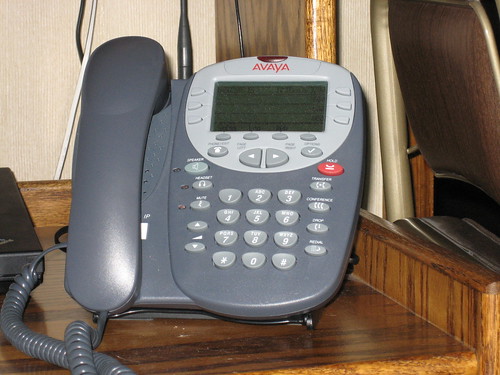
In Asterisk, WiFi, HomePlug, and an Avaya SIP Phone, I talked about the Asterisk PBX in the secure underground Digital Aggregates Corporation computer center (it's a Dell PC in the basement). I've successfully used a number of SIP endpoints with the PBX, including an Avaya 4610SW SIP hardphone and several PC-based SIP softphones. I've wanted a mobile WiFi SIP phone to use around the house and office but I wasn't terribly impressed with either the price or the quality of any of commercial options.
I recently installed the third-party (and quite experimental) Internet Communications Software Update for the N800 from Maemo which includes a SIP stack. It extends the existing internet capabilities of the N800 to include a SIP softphone. So far, initial testing has achieved an occasional two-way talk path. Debugging continues, and it's entirely possible that this is pilot error on my part. Still, I am much encouraged by the prospect of a pocket sized universal internet appliance, something I've sought ever since I used my first Palm PDA years ago.
In If Java is the new Cobol, is C++ the new assembly? I talked about how I thought Java was really underutilized in the U.S. as compared to Europe and Japan in using it as a platform for embedded applications. I made an economic argument based on cost of goods sold, not because Java is the hip thing to be using. (I'm told by those in the know that Ruby On Rails is the hip thing to be using.)
I'm using this little project as an excuse to play with Java Micro Edition (ME) in the Connected Device Configuration (CDC) by installing the C Virtual Machine (CVM) package for the N800 from the open source PhoneMe project. About all I've done so far is get the provided test suite to run successfully, and learn that you can't run applications on the N800 from the SD flash card. Still, it's a step in the right direction.
Hand-held networked universal appliances have been a staple in science fiction. I think they're near to becoming a commercial reality today. Mobile phones are close. Devices like the N800 are closer.
The device includes all sorts of cool hardware, including a high resolution color touch-sensitive LCD display, WiFi and BlueTooth connectivity, USB and microphone/stereo headphone jacks, a built-in microphone and stereo speakers, an aimable CCD camera, an FM tuner, and two SD-compatible flash card slots. The base software includes a very usable web browser, an email client, a camera, an FM radio, and an Internet radio. I recently added a BlueTooth keyboard. Other accessories I may try in the future include a navigation kit that gives the unit GPS capabilities.
In Asterisk, WiFi, HomePlug, and an Avaya SIP Phone, I talked about the Asterisk PBX in the secure underground Digital Aggregates Corporation computer center (it's a Dell PC in the basement). I've successfully used a number of SIP endpoints with the PBX, including an Avaya 4610SW SIP hardphone and several PC-based SIP softphones. I've wanted a mobile WiFi SIP phone to use around the house and office but I wasn't terribly impressed with either the price or the quality of any of commercial options.
I recently installed the third-party (and quite experimental) Internet Communications Software Update for the N800 from Maemo which includes a SIP stack. It extends the existing internet capabilities of the N800 to include a SIP softphone. So far, initial testing has achieved an occasional two-way talk path. Debugging continues, and it's entirely possible that this is pilot error on my part. Still, I am much encouraged by the prospect of a pocket sized universal internet appliance, something I've sought ever since I used my first Palm PDA years ago.
In If Java is the new Cobol, is C++ the new assembly? I talked about how I thought Java was really underutilized in the U.S. as compared to Europe and Japan in using it as a platform for embedded applications. I made an economic argument based on cost of goods sold, not because Java is the hip thing to be using. (I'm told by those in the know that Ruby On Rails is the hip thing to be using.)
I'm using this little project as an excuse to play with Java Micro Edition (ME) in the Connected Device Configuration (CDC) by installing the C Virtual Machine (CVM) package for the N800 from the open source PhoneMe project. About all I've done so far is get the provided test suite to run successfully, and learn that you can't run applications on the N800 from the SD flash card. Still, it's a step in the right direction.
Hand-held networked universal appliances have been a staple in science fiction. I think they're near to becoming a commercial reality today. Mobile phones are close. Devices like the N800 are closer.
Saturday, February 03, 2007
Asterisk, WiFi, HomePlug, and an Avaya SIP Phone
The Digital Aggregates corporate data center, such as it is, is a mash-up of bits and pieces of hardware spread all over the palatial Overclock estate. The hardware was selected by the tried and true method of mostly whatever works and sometimes whatever was handy at the time.
The central network stack is a pile of several LinkSys boxes on top one of the A/V cabinets in the family room. This is simply because our broadband internet provider is also our cable television provider, Comcast. Proximity to the cable was necessary for the enablement of two critical activities in the Overclock household, watching the new Battlestar Galactica, and cruising the web. One of the LinkSys boxes is a cable modem, and another, predictably, is a router/WiFi access point.
There are a lot of devices on our network, including an H-P full-duplex color laser printer with integrated print server (running VxWorks, as it turns out), several Linux servers, Mrs. Overclock's Mac Powerbook, my IBM Thinkpad, my Palm PDA, our TiVo, an Avaya 4610SW SIP (VOIP) phone, and probably some other stuff that I've forgotten about.
Although the router has a four-port Ethernet switch, until now only one device was plugged into that switch, our TiVo digital video recorder, the machine without which life as we know it could not exist. As Mrs. Overclock has been known to say, "TiVo loves us and wants us to be happy!" The only reason the TiVo warranted such special treatment was its physical proximity to the router. Otherwise, it would have been a citizen of the WiFi network, just like all the other devices on the heavily-armed Overclock compound.
The SIP phone is my principle telephone in my home office. It is serviced by one of the Linux servers which runs Asterisk, an open source PBX. The Asterisk server has a four-port Digium card that connects it to an analog phone (used only for troubleshooting), and to the PSTN via our second phone line. I chose the Avaya SIP phone because it had both of what are for me absolutely killer features: a speakerphone with great sound quality, and a jack for a high quality two-ear Plantronics headset. The former is necessary for the way I tend to work during boring phone calls (present company excepted of course). The latter is for my less than perfect hearing, which is the result of a misspent youth (no, not rock music, but firearms, motorcycles, and mainframe computer rooms). The Avaya 4610SW is a professional quality phone. It is not cheap, but its sound quality and headphone capabilities make it worth every single penny. It looks kinda cool too.
Note that this is a completely unsupported configuration: an Avaya 4610SW connected to a WiFi network serviced by a SIP proxy and registrar running inside Asterisk. Once upon a time when I was doing product development for Avaya, someone from their CTO organization actually called me up and warned me not to ever admit that I was using Asterisk, nor that I was using an Avaya SIP phone with it, nor to ever help anyone ever set up such a configuration, nor to even admit that such a configuration was even possible. So here is my disclaimer: if you have an Avaya SIP phone and are thinking of running it with Asterisk, quit reading this article right now. You have been warned. And if you are an Avaya executive, please tell your CTO people to pull their heads out of their asses.
This configuration worked pretty well for a couple of years. In the past few months though I have been having a disconcerting problem of very occasionally having phone calls from the PSTN to my SIP desk phone drop. Picking up an analog phone connected to the same phone line revealed that the other party was still on the line, and in fact had no idea that the call had been dropped from my point of view. Several hours here and there spent testing, perusing Asterisk logs, running Ethereal traces, and just about anything I could think of, turned up nothing.
Then one day while cruising the web, I started to notice articles complaining about how when the density of WiFi networks in a neighborhood reaches a certain point, connections start to drop unexpectedly. When I first brought WiFi into the Overclock household, there was exactly one other WiFi network visible in our neighborhood. Now there are at least a half dozen, and maybe more which, like my network, do not publish their SSIDs. I began to realize that not only had I seen SIP calls drop occasionally, but once in a while I had problems just downloading web pages too, and had to tell my browser to stop and reload, finding that it worked fine the second time.
So began a quest to find another LAN solution, and after some research, HomePlug presented itself. HomePlug is an industry standard that allows you to run Ethernet over your household electrical wiring at rates somewhere around thirty megabits a second, depending on whose propaganda you believe. After reading a lot of reviews, I departed from my usual network vendor, LinkSys, and settled on NetGear.
Why the change? You may recall that in my article on the book Five Myths of Consumer Behavior, I mentioned how the authors preached simplicity and ease of use as the keys to rapid consumer adoption. The LinkSys manuals for their HomePlug gear had long, multi-step setup procedures. The reviews of the NetGear boxes had users saying "I just plugged it in and it worked!" Yeah, baby, that's what I'm talking about, give me some of that.
So I ordered three NetGear XE104NA "PowerLine" four-port HomePlug Ethernet bridges from what has become my favorite computer vendor, Amazon.com. One for the Asterisk server in the basement, one for the router in the family room, and one for the SIP phone in my office.
Installation was almost that simple. The Digital Aggregates network became a combination of 100BaseT, WiFi, and HomePlug. I could telnet from my WiFi laptop to the HomePlug server. I could ping from one of the WiFi servers to the SIP phone. And when I booted the SIP phone, it could download its firmware and configuration from the HomePlug server. But the damn phone would not register with the SIP registrar on the very same HomePlug server.
I'll spare you the drama of the Ethereal traces, the traceroutes, the pings, the firewall experiments that took up a couple of hours on a Saturday morning. None of them contributed in any way to the solution except to convince me that the problem was something a lot less obvious. And so it was. To me anyway. All solutions are obvious once you know the answer.
The 4610SW implements the 802.1Q standard, a mechanism that allows multiple bridged virtual LANs to share the same physical LAN while keeping their data packets segregated. This makes a lot of sense for corporate environments. The default value for 802.1Q on the 4610SW was "auto", which also makes a lot of sense. Unfortunately, it doesn't seem to work on my new network configuration. Even through the SIP phone and the Asterisk server are on the same HomePlug network, the Netgear bridges apparently make them appear to be on different VLANs. I disabled this feature on the phone, and five seconds later all was well.
That's all it took. Otherwise, it was just a matter of freeing up some wall outlets for the Netgear boxes, which are each about the size of a largish power brick, moving the Ethernet cables from the WiFi boxes to the Netgear boxes, and standing back. It was that simple. It is too soon to tell if this will solve my problem of dropped VOIP calls, but it has had an expected side benefit. The HomePlug network apparently has lowered the network latency to where the echo canceller in the 4610SW can handle it. Prior to this, on the WiFi network, I had some echo back of my own voice, probably from the hybrid analog interface to the PSTN, which, fortunately, only I could hear. That seems to be gone. Huzzah!
Time will tell.
Update
By way of an update, I've had several longish calls recently, in addition to my own test calls, using this new configuration and have yet to have a VOIP disconnect. This proves nothing, but it is at least encouraging. On the flip side, if WiFi does have a problem when densities get high, then unfortunately as a technology it has no where to go by down.
Update
So here's the latest on Asterisk, HomePlug, and my Avaya SIP phone. As of yesterday, I had a couple of calls drop in the middle. This is the first time this has happened since switching from WiFi to HomePlug to connect my Asterisk server to my Avaya 4620SW. Investigation continues. Meanwhile, today I upgraded to Asterisk 1.2.16 (I'm embarressed to admit how old my prior version was, but I installed it almost exactly one year ago today), and also to the Zaptel 1.2.15 drivers. I did this primary to take advantage of Digium's proprietary host-based High-Performance Echo Canceller (HPEC) which they offered free to folks with a Digium card still under warranty (barely, in my case). So far initial testing is all good: with no echo cancellation, the hybrid echo was terrible. With the open source echo canceller, it was barely bearable. With HPEC, it's gone completely. (I try not to think how many cycles this is consuming, but it's ONE phone and a server dedicated to Asterisk and some internal Apache use.) I initially tried this with Zaptel 1.2.14 (the latest rev at that time) and could not get the zaphpec_enable tool to recognize that I had HPEC enabled ("it appears that this driver was not built with HPEC enabled", which was patently untrue as any number of tools verified). But Zaptel 1.2.15 seems to work fine.
Update
I used a LinkSys 100Mb/s WiFi bridge, a little box that converts from wired Ethernet to WiFi. The phone has a power-over-ethernet brick that sits between it and the WiFi bridge (now between it and the HomePlug adaptor). I converted both the Avaya 4610SW SIP phone and my Asterisk server from WiFi to HomePlug. I'm still having problems with very occasional disconnects while using HomePlug. I recently upgraded the Avaya phone to the latest firmware (from 46xxSIP_101005 to 46xxSIP_032207) and am waiting to see if that helps. I've never been able to reproduce this disconnect problem at will, so testing this is a pain. I now wonder if it's something like the old problem where the message waiting update from Asterisk would crash the phone. This was a known problem with the SIP firmware caused, according to Avaya, by a malformed or otherwise invalid SIP message from Asterisk. You can disable the feature in Asterisk by commenting out the "mailbox=" line in your sip.conf file. I recently installed the proprietary host-based echo cancellation software from Digium. I recommend it if you're using Asterisk and a Digium analog card to connect to the PSTN. It definitely made a big difference in sound quality.
Update
Just a couple of days ago I had another rash of call droppings. The original call was coming in from the PSTN analog to Asterisk, then SIP via HomePlug to my Avaya 4610. It dropped twice on the same caller. (Sorry about that.) So it's back to debugging.
Update
I'm admitting defeat. After a couple of years of trying to get an Avaya 4610SW SIP phone to work reliably with Asterisk, I've just ordered a LinkSys (Cisco) SPA942 to replace it. My two must-have applications for a desk phone are [1] a decent speaker phone, and [2] a Plantronics headphone jack. We'll see how the SPA942 fairs in this regard. Just when I think I've got the 4610 working reliably, it drops a call (something my two soft phones I've used have never done). I'm calling it quits.
Update
I installed the LinkSys (Cisco) SPA942 on my Asterisk server this AM. The hardest part was sorting through the admin web pages (the phone as a built-in web server, like all the LinkSys gear I've used) to find where the IP address of the SIP proxy (my Asterisk server) was administered. Other than that, everything else was just gravy. I did some machinations in my Asterisk dial plan to attach a second phone number to the phone, just because I could. The voice quality of the handset, speakerphone, and headset, all seem quite acceptable. I had to buy an inexpensive 2.5mm adaptor for my Plantronics headset, but other than that it all pretty much worked right out of the box.
Update
My ancient Digium line card finally gave up the ghost. I had to install the latest hardware from Digium which, happily, is available with a hardware echo canceler. I also had to upgrade to Asterisk 1.8.3.2, which was a moderate bit of effort. So far, so good.
Subscribe to:
Posts (Atom)